Hardware
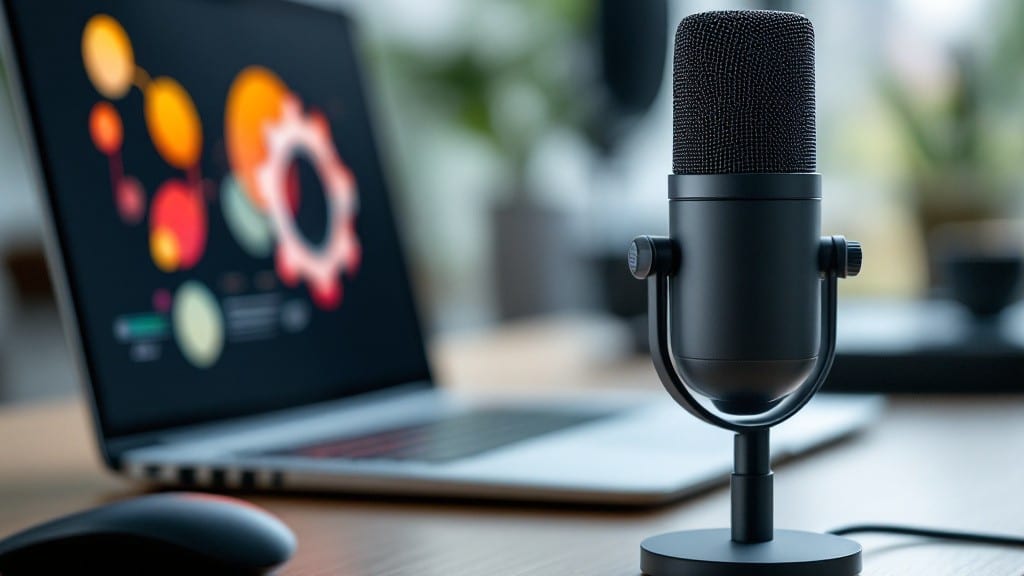
Voice-activated computers for disabled users transform technology into a tool for independence, letting hands-free control replace physical barriers.
For millions with mobility or dexterity challenges, these systems aren’t just helpful—they’re life-changing. Imagine typing emails with your voice, navigating apps without a mouse, or even controlling smart home devices when movement is difficult. The right setup can make all of that possible.
From built-in OS tools like Windows Speech Recognition to advanced third-party software like Dragon NaturallySpeaking, the options vary widely in cost, accuracy, and customization. Some work with standard PCs, while others require specialized hardware like eye-tracking systems. The key is matching the technology to your specific needs.
Here’s what you need to know: how these systems compare, which features matter most for different disabilities, and how to avoid common pitfalls when setting them up. Let’s break it down so you can find the perfect fit.
How voice-activated computers work: key features for accessibility
Voice-activated computers transform how people with disabilities interact with technology by replacing manual input with speech recognition and adaptive interfaces. At their core, these systems rely on microphone arrays, digital signal processing, and natural language understanding (NLU) to convert spoken words into executable commands.
For users with limited mobility or dexterity challenges, this technology enables everything from typing emails to controlling smart home devices—all without touching a keyboard.
The magic happens through a combination of hardware sensors and software algorithms. Modern systems like Windows Speech Recognition or Dragon NaturallySpeaking use machine learning models trained on vast datasets of human speech patterns. These tools can distinguish between background noise and intentional commands, even in less-than-ideal acoustic environments.
For users with visual impairments, pairing voice control with screen readers (like JAWS or NVDA) creates a fully accessible digital experience.
Here’s how the core components work together:
One of the most powerful features is adaptive command customization. For example, Dragon NaturallySpeaking allows users to create personalized macros for complex tasks, like launching a specific application with a single phrase.
This is especially useful for individuals with cerebral palsy or ALS, who may need to bypass standard software limitations. The software can also learn user-specific speech patterns, reducing errors over time—critical for users with speech disabilities or accented speech.
Hardware plays a crucial role too. While most modern laptops and desktops include built-in microphones, external USB microphones (like the Yeti or Blue Yeti) significantly improve accuracy in noisy environments.
For users with limited hand movement, switch-controlled keyboards or eye-tracking devices (such as the Tobii Eye Tracker) can be paired with voice software to create a hybrid input system. These combinations ensure that even users with complete paralysis can interact with computers independently.
Accessibility isn’t just about input—it’s also about output. Voice-activated systems can integrate with text-to-speech (TTS) engines like Microsoft’s Neural TTS, which delivers natural-sounding speech at adjustable speeds.
This is a game-changer for users with visual impairments or reading difficulties, as it allows them to consume digital content hands-free. Additionally, screen readers can be configured to pause mid-sentence when voice commands are detected, preventing overlapping audio that can cause confusion.
For those using Linux, open-source tools like Simon Speech or eSpeak offer free alternatives, though they may require more technical setup. These solutions often lack the polish of proprietary software but provide full customization for advanced users.
The choice between built-in OS tools (like Windows Speech Recognition) and third-party software (like Dragon) often comes down to budget, accuracy needs, and specific use cases.
For instance, Dragon NaturallySpeaking excels in medical transcription, while Windows Speech may suffice for basic tasks like email or web browsing.
Looking ahead, AI advancements are poised to revolutionize voice-activated accessibility. Emerging technologies like real-time translation for sign language or brain-computer interfaces (BCIs) could soon enable users to control computers with thought alone.
Companies like Neuralink and Synchron are already testing non-invasive BCIs, which could eliminate the need for speech entirely. Until then, voice control remains the most accessible and scalable solution for millions of users worldwide.
If you’re exploring voice-activated computers for accessibility, start by assessing your specific needs—whether it’s typing speed, command complexity, or hardware compatibility. Many tools offer free trials, so experimenting with different options can help you find the perfect fit.
The goal is simple: technology should empower, not limit. With the right setup, voice-activated computers can unlock a world of possibilities for users with disabilities.
Top 5 voice-control software solutions ranked by functionality
Voice-activated software transforms how disabled users interact with technology by replacing manual input with natural speech commands. For me, the best solutions combine high accuracy, customization options, and specialized features like medical transcription or gaming controls.
Whether you need offline functionality or AI-powered adaptability, these tools bridge the gap between ability and accessibility.
Here’s how I ranked the top 5 solutions based on accuracy, customization, and specialized use cases. Each tool caters to different needs—from professional transcription to gaming accessibility—so you can choose what aligns best with your goals.
Dragon Professional leads with 99% accuracy in transcription and supports medical dictation, making it ideal for professionals. Its customizable macros let you automate repetitive tasks, like opening documents or sending emails, with voice commands. For gaming, it integrates with Xbox Adaptive Controller for hands-free control—perfect for users with limited mobility.
Windows Speech Recognition is free and built into Windows 10/11, offering real-time dictation and basic automation. It’s great for budget-conscious users but lacks advanced features like offline medical transcription. Pair it with eye-tracking software for users who can’t speak clearly. The learning curve is steeper than Dragon’s, but it’s a solid starting point.
macOS Voice Control shines for Apple ecosystem users, offering seamless integration with Siri Shortcuts and Accessibility Preferences. It’s particularly useful for visual impairments when combined with VoiceOver. While not as feature-rich as Dragon, its AI-driven adaptability improves over time with usage—ideal for users who prefer a polished, native experience.
For Linux users, eSpeak is a lightweight, open-source option with customizable voice profiles. It’s less accurate than proprietary tools but excels in scripting automation for developers. Pair it with switch interfaces for users with severe mobility limitations. The trade-off? Limited specialized features like gaming controls or medical transcription.
Finally, TalkBack for Android is a game-changer for smartphone and tablet users with disabilities. It offers gesture-based navigation and text-to-speech feedback, making it ideal for visual impairments. While not as robust for desktop tasks, its cloud integration syncs across devices—great for users who rely on mobile accessibility.
My recommendation? Start with Dragon Professional if you need high accuracy and customization, or Windows Speech Recognition for a free, no-frills solution. For Apple users, macOS Voice Control is a seamless choice. Explore these tools to find what works best for your unique needs. 🖥️